
SystemView
The real-time software analysis tool
SEGGER's SystemView is a powerful tool for verification and validation. It records, analyzes, and visualizes captured data in real time; documents tasks, interrupts, and user events; and much more.
1. Key Features
2. Use Cases
3. How SystemView Works
4. Additional Features
5. RTOS Support
6. System Requirements
7. Licensing

Overview
SystemView is a real-time recording and visualization tool designed to analyze and profile the behavior of embedded systems. It offers deep insights into runtime behavior, surpassing the capabilities of traditional debuggers. Ideal for complex systems with multiple threads and interrupts, SystemView helps developers ensure their systems perform as intended, identify inefficiencies, and uncover unintended interactions or resource conflicts. By recording monitor data from the embedded system via the debug interface, SystemView visualizes tasks, interrupts, and software timer execution in detail, documenting their frequency, order, and execution time.

Key features
SystemView provides powerful features while being minimally intrusive, which makes it an essential tool for embedded system development. It works with any CPU, RTOS, or bare-metal system, ensuring high flexibility and adaptability to different setups. With this broad compatibility, developers can use SystemView in a wide variety of embedded projects.

Enables seamless recording and analysis of embedded systems with multiple CPU cores on a single microcontroller, providing synchronized insights into their interactions. It supports diverse architectures, offering a unified and detailed view of even the most complex systems.
SystemView captures tasks, interrupts, timers, resources, API calls, and user events in real time, enabling developers to analyze the full runtime behavior of embedded systems with minimal intrusion.
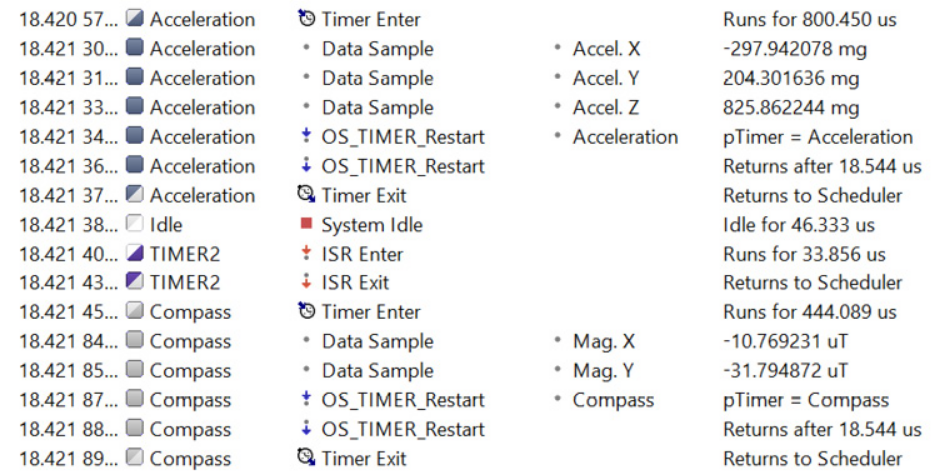
SystemView allows the recording and processing of various data from the target system. The number of sample sources for graphing is unlimited and can be configured on the target. Data samples are recorded, analyzed, and visualized in real time while the system is running.
Use Cases
SEGGER's SystemView is designed to provide deep insights into the operation of embedded systems. It supports a wide range of applications, from verifying system behavior to optimizing performance and analyzing complex interactions in multithreaded environments. Its versatility makes it a valuable tool for understanding and improving real-time systems.

Analysis of complex systems with multiple threads and events
Verification of system behavior
Optimization of resources and performance
For complex systems with multiple threads, interrupts, and events, SystemView delivers a deeper level of insight than traditional debugging tools. By capturing and analyzing interactions across all system components, it reveals intricate relationships and potential conflicts that may not be visible through conventional methods.
SystemView enables precise verification of system behavior by providing real-time visualization of task execution, interrupts, and API calls. By capturing a detailed timeline of events, it becomes easier to ensure that all parts of the system are functioning as designed. This helps in identifying irregularities or unexpected behavior in early in the development process, leading to more reliable and robust systems.
With its detailed timing analysis, SystemView enables in-depth evaluation of resource usage and performance. It highlights inefficiencies, such as excessive CPU load or poorly distributed task execution, and provides actionable insights to optimize system performance. By fine-tuning task scheduling, memory allocation, and runtime behavior, developers can achieve significant improvements in overall efficiency and responsiveness.
How SystemView Works
SystemView operates by integrating a small software module, containing SystemView and RTT, into the target system. This module collects event data, formats it, and passes it to the RTT module. The RTT module stores the data in the target buffer, which enables continuous recording with a J-Link on supported systems, as well as single-shot and post-mortem mode recording on any system. Events such as interrupt start and end are monitored and stored with high-accuracy timestamps, configurable down to a single CPU cycle (5 ns on a 200 MHz CPU).
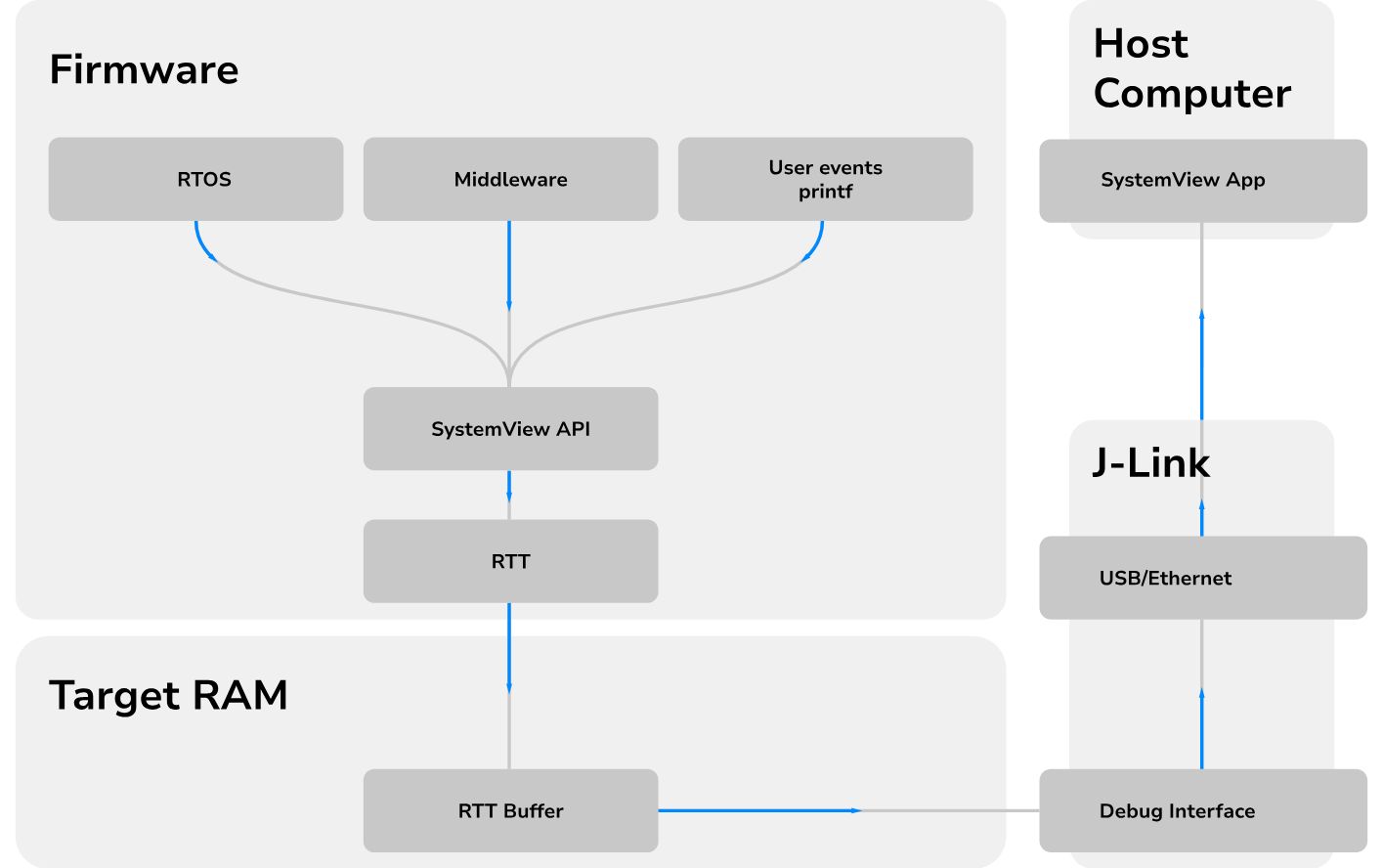
SystemView module is efficient, requiring less than 2 KB of ROM and about 600 bytes of RAM for continuous recording using J-Link. It imposes minimal overhead- less than 1% on a system with 10,000 events per second on a 200 MHz Cortex-M4. Data is transferred via the debug interface, requiring no additional hardware or pins. The tool can be used on any system that offers debug access.
Adding SystemView to a target system is straightforward. Only a small set of files needs to be included in the project, and depending on the system, as little as one function call or two lines of code per interrupt are needed. This is simple setup can typically be completed within minutes, enabling efficient and precise event monitoring.
Additional Features
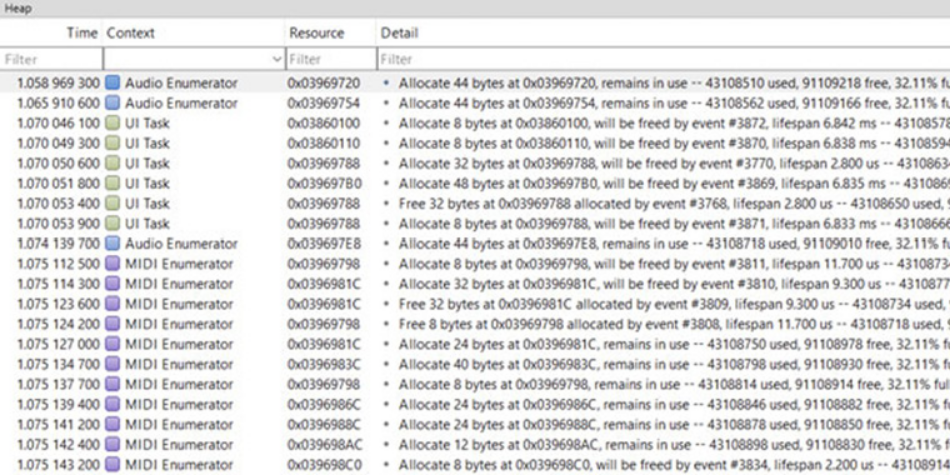

Tracks memory allocations in real time, helping developers identify inefficiencies and memory leaks. By highlighting peak usage and pinpointing allocation sources, it provides actionable insights to resolve issues and optimize resource management.
SystemView visualizes variables, sensor data, and custom metrics in real time alongside recorded events. This synchronized, scope-like view provides deep insights into system behavior for precise debugging and optimization.
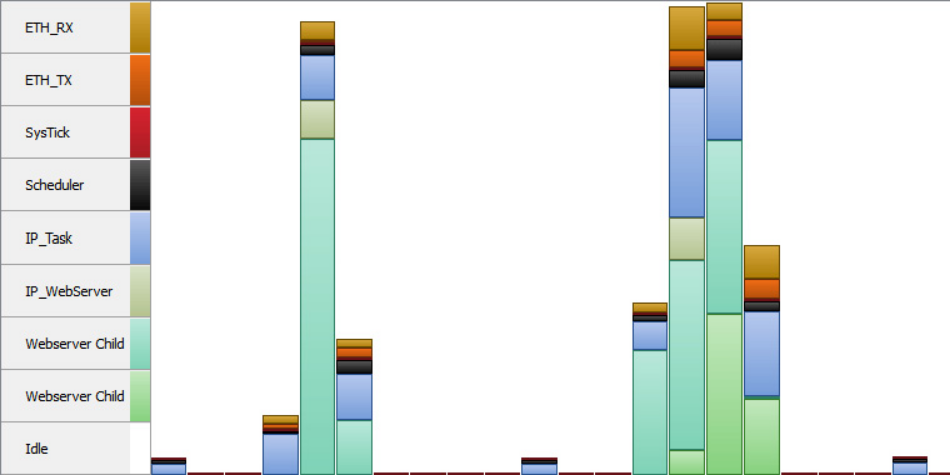
Identifies bottlenecks and high-load periods, allowing developers to balance workloads and ensure timely execution of critical tasks. Visual feedback helps optimize performance for smoother operations.
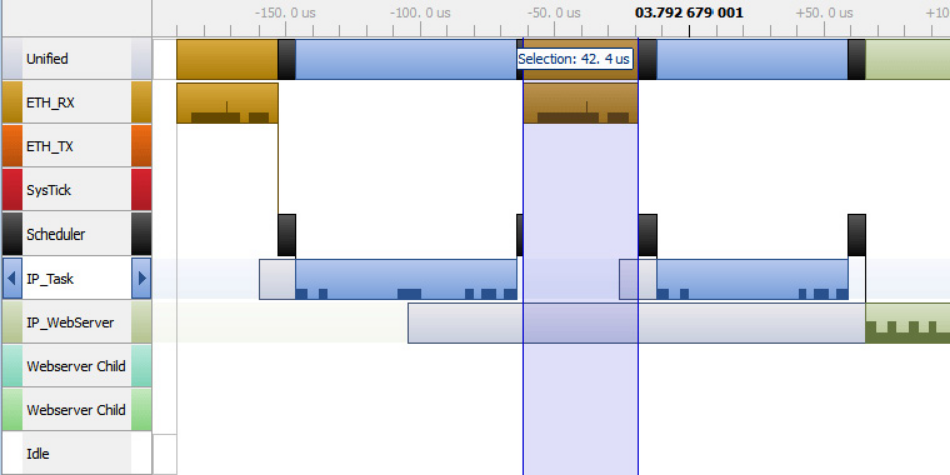

Event Timeline Window
Logging Output
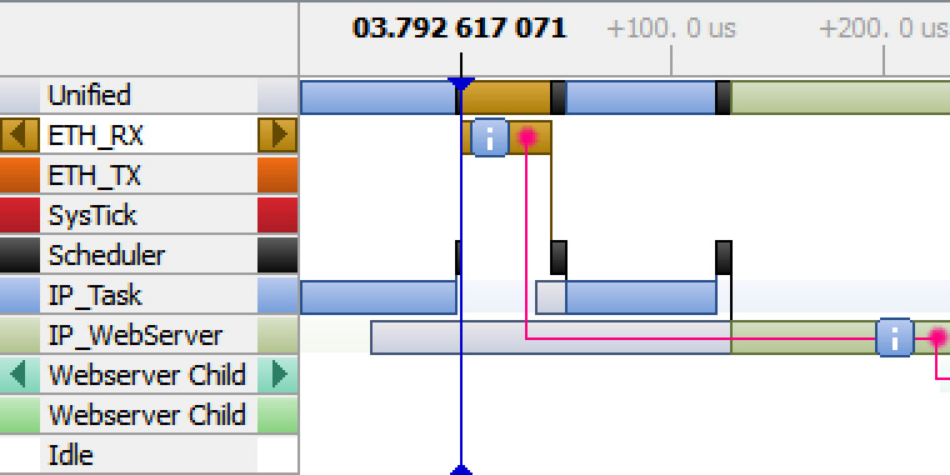
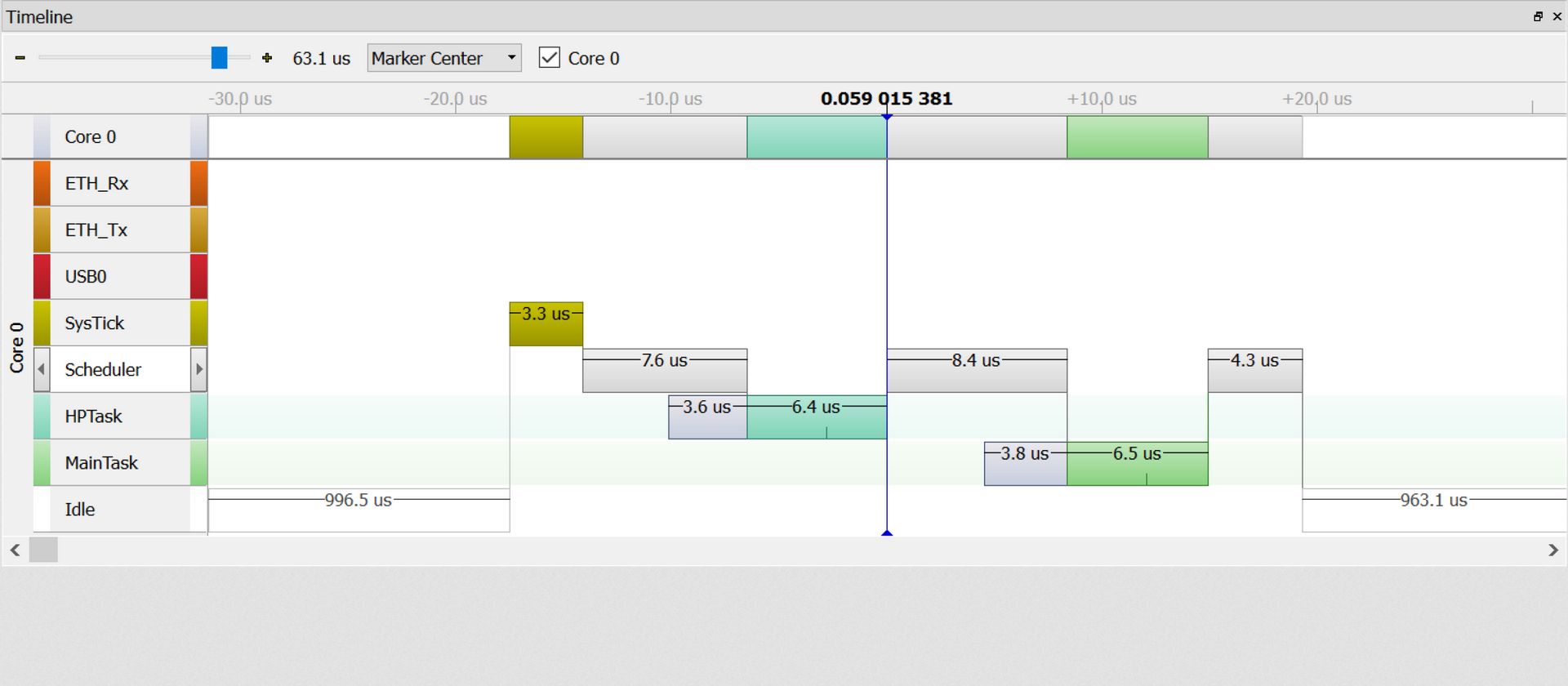
Chronologically plots task switches, interrupt activity, and scheduling events. This visualization helps developers pinpoint inefficiencies, identify anomalies, and gain a clear understanding of runtime behavior across tasks and interrupts.
Logs messages during recording, including warnings and errors, with formatting similar to printf(). To save time and resources, formatting is deferred to the SystemView application, which processes and displays the log data in its Terminal Window.
RTOS Support
SystemView can be used out-of-the-box with RTOSs such as embOS, uC/OS-III, Micrium OS Kernel, FreeRTOS, NuttX, Zephyr, and ThreadX or even without any OS to record interrupt activity and user events.
embOS
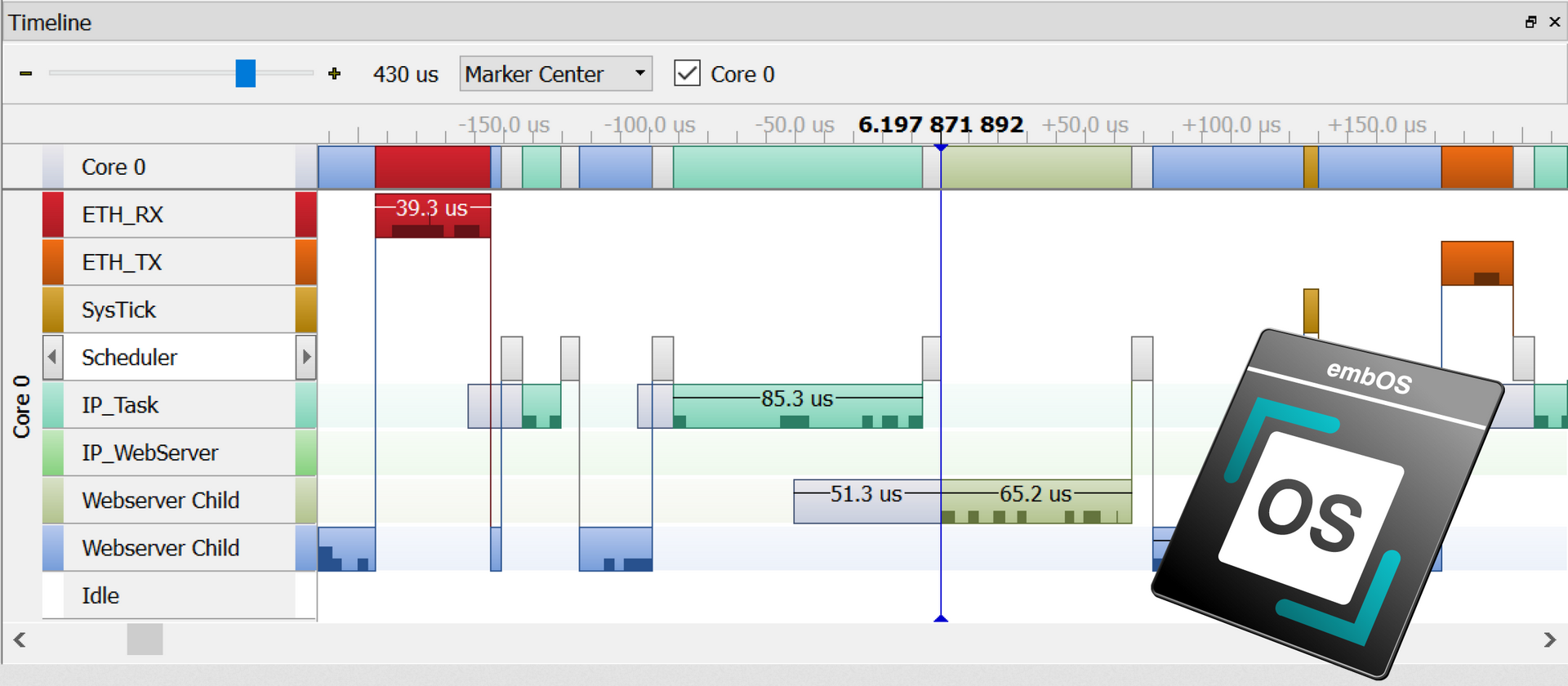
SystemView support has been included in embOS since version 4.12a. It allows for the display and recording of application and operating-system execution. Any embOS library mode that includes the embOS trace API has SystemView support enabled by default. Additionally, embOS source code projects can be individually configured to enable SystemView support.

ThreadX
FreeRTOS
uC/OS
Eclipse ThreadX (formerly Azure RTOS) has been instrumented for use with SystemView since version 6.4.
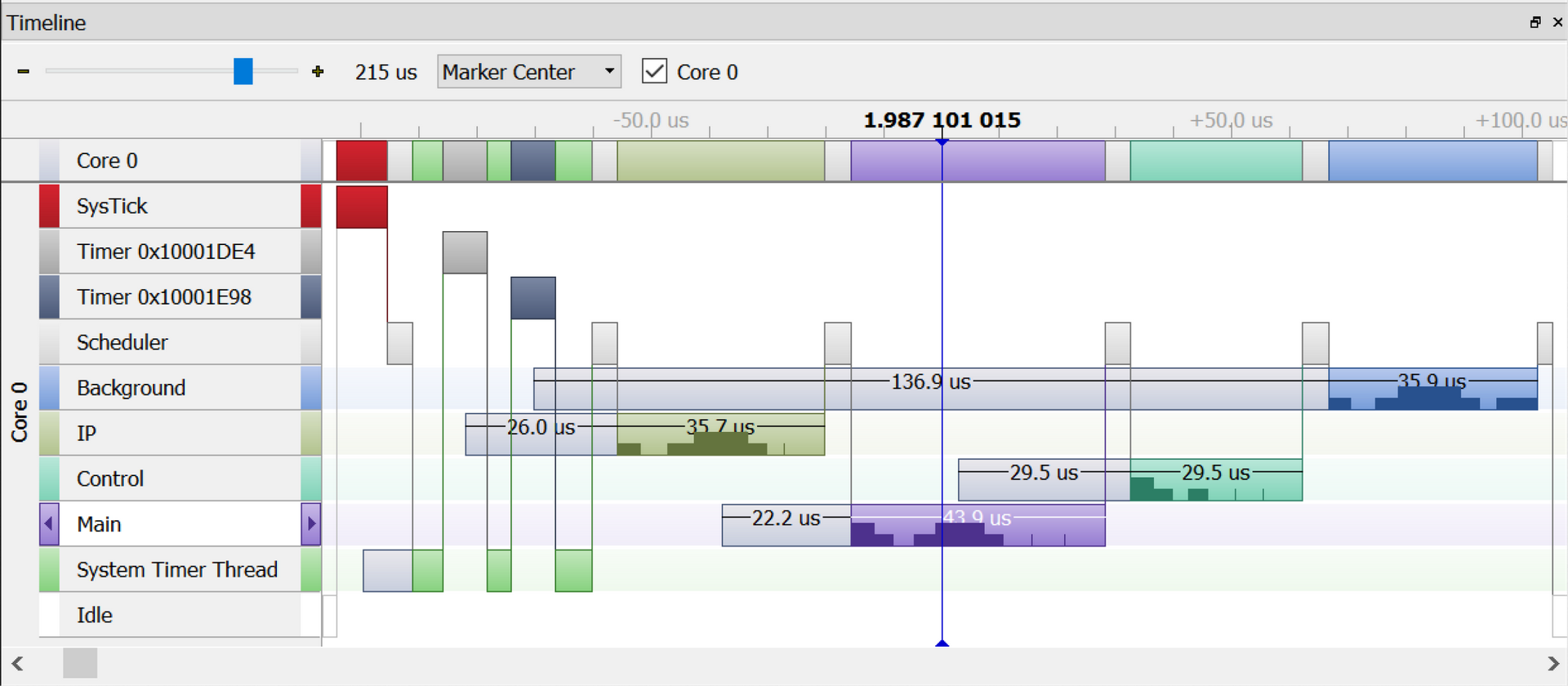
SystemView can be used with versions V8, V9, V10, and V11. It is natively supported since FreeRTOS V11.
uC/OS-II and uC/OS-III natively integrate SystemView.
Micrium OS Kernel
Zephyr
NuttX
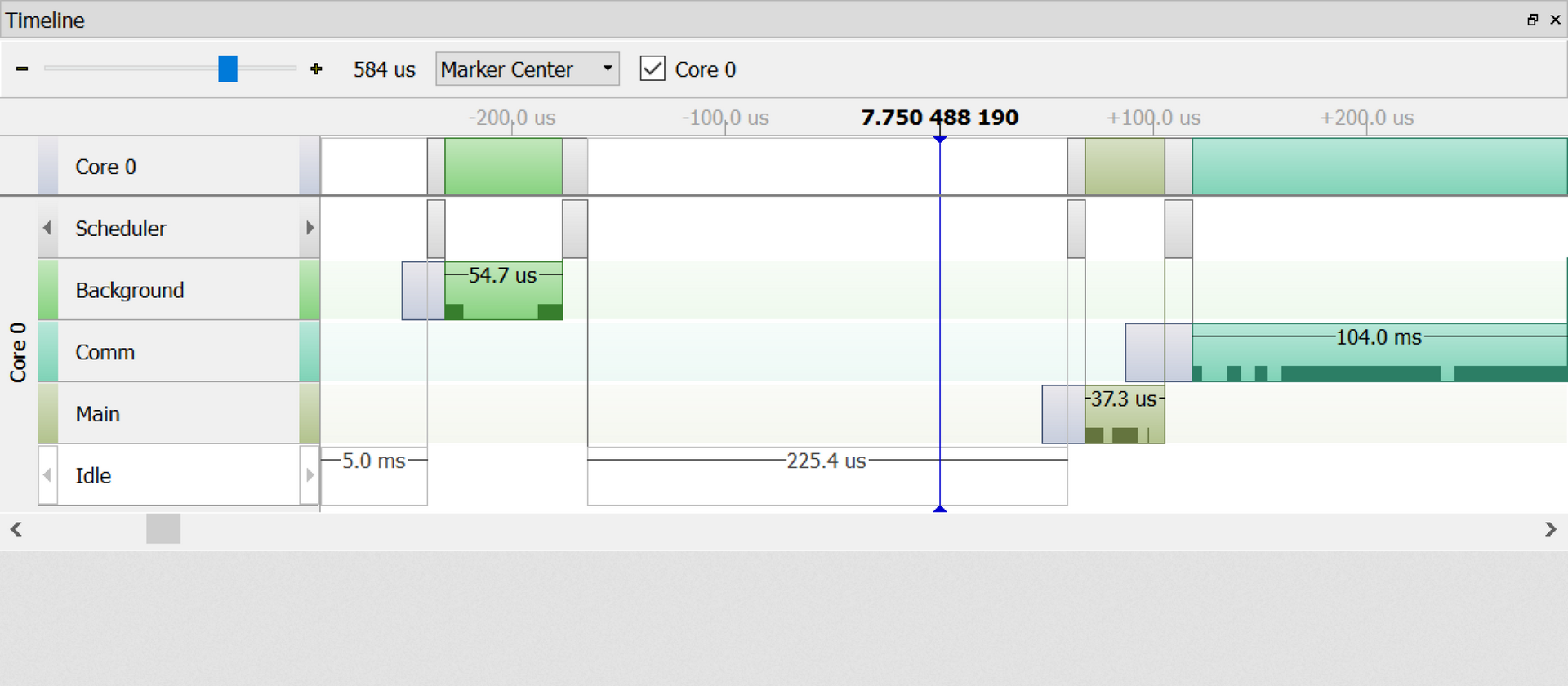
SystemView can be used with Micrium OS Kernel since its first version.
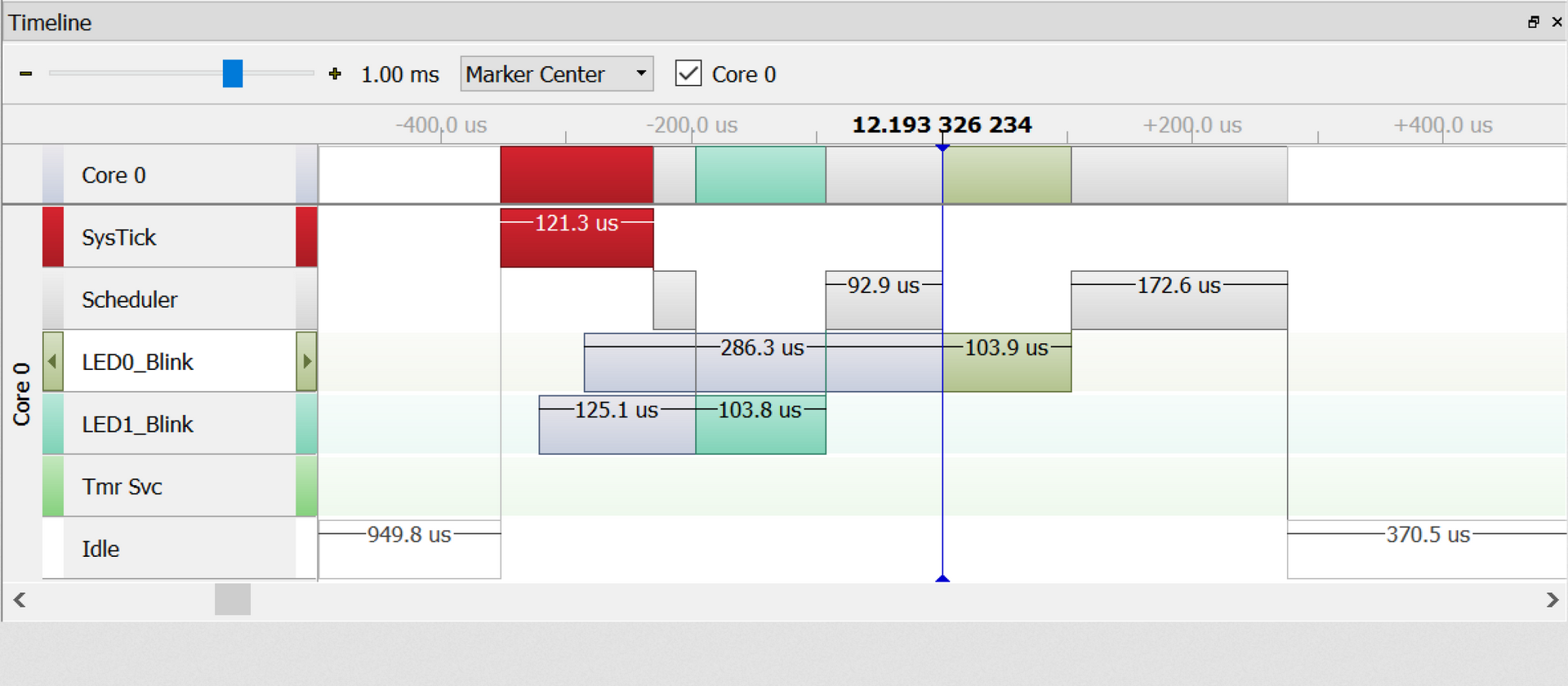
SystemView has been integrated into Zephyr's tracing feature and can be used with all versions since 2019.
NuttX natively supports SystemView through its SEGGER RTT Drivers.
System Requirements
| Supported OS | |
|---|---|
| Windows | Microsoft Windows (x64/Arm) |
| macOS | macOS (x64/Apple Silicon) |
| Linux | Linux (x64/Arm) |
| Development System | |
|---|---|
| CPU | 2GHz |
| Memory | 4GB RAM |
| Disk Space | 2GB |
Licensing
SystemView is available as a SEGGER Software Tool under SEGGER's Friendly License for non-commercial use and SEGGER's Commercial-use License. Licenses for SystemView are perpetual for as long as you want to use it. No annual subscription is required.